Schengen 90/180 & Tax Residency Day Tracker
Never overstay a visa. Never trip the 183-day tax rule. Daysabroad counts your days in every country automatically with GPS — Schengen 90/180, visa limits, residence permits and tax residency, all tracked while your iPhone sits in your pocket.
Free to use · Privacy-first: your location never leaves your phone
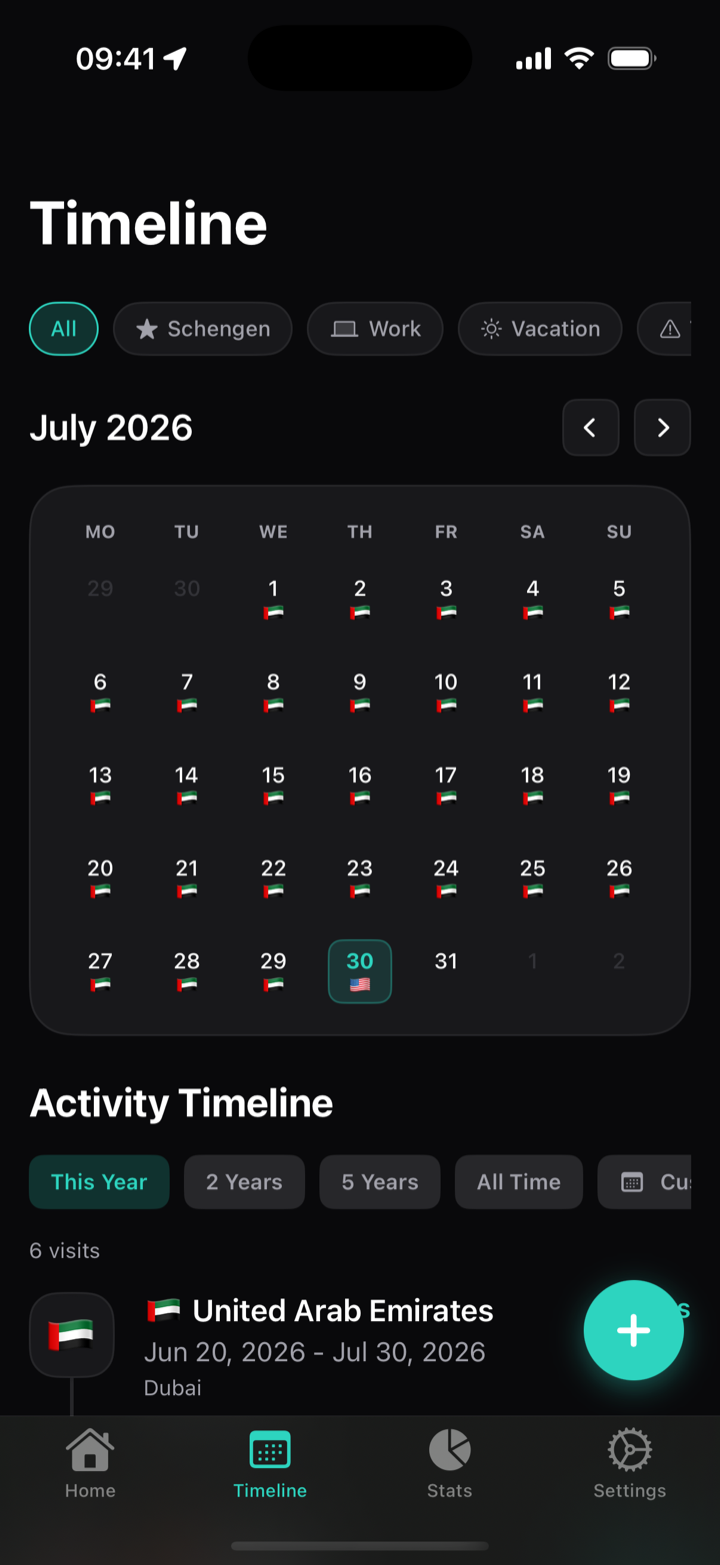
How it works
Automatic GPS Visa Day Tracking — Install and Forget
Allow location
Battery-efficient background tracking detects the country and city you are in — even with the app closed.
Pick your rules
Schengen 90/180, UK 180 days, per-entry visas, residence permits, 183-day tax thresholds — templates included.
Glance and go
Home-screen widget and alerts show days used, days left and the date you must leave. No spreadsheets.
Visa & tax engine
Every day counter you need, in one place
Schengen 90/180 and any visa rule
The rolling window is confusing on paper and dangerous in practice. Daysabroad computes it precisely: days used, days remaining, the exact date you must leave and when days start regaining.
- Rolling window, calendar-year and per-entry visa types
- Templates: Schengen, UK, Thailand, Indonesia, UAE, Turkey, Georgia, Mexico and more
- 183-day tax residency alerts for every country you visit
- Residence permit rules: minimum presence, maximum absence
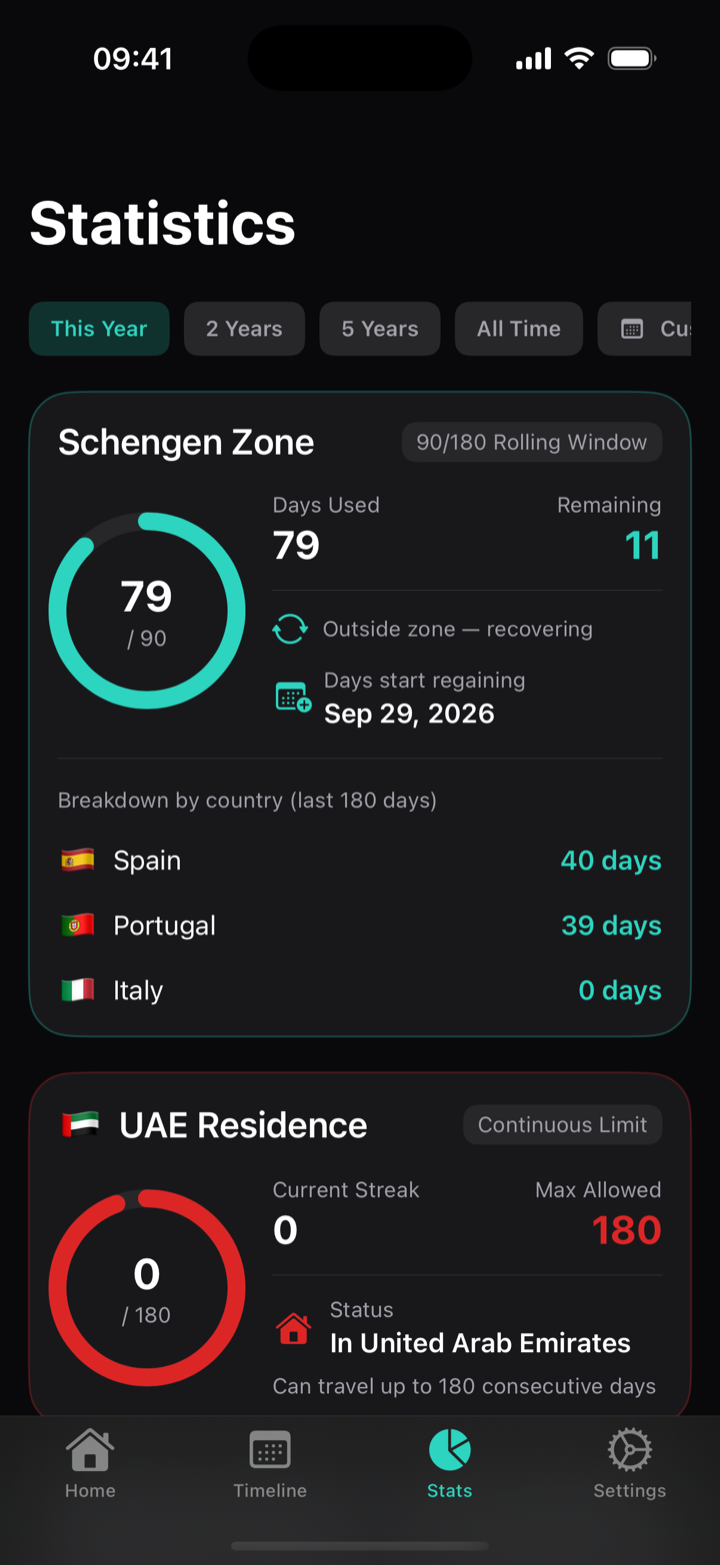
PDF reports for tax authorities
When the tax office or immigration lawyer asks for proof, export a clean, printable report for any period: day counts per country with percentages and your full visit list.
- Any time range, including custom periods
- Ready for 183-day tax filings and visa applications
- Calendar export to Apple & Google Calendar included
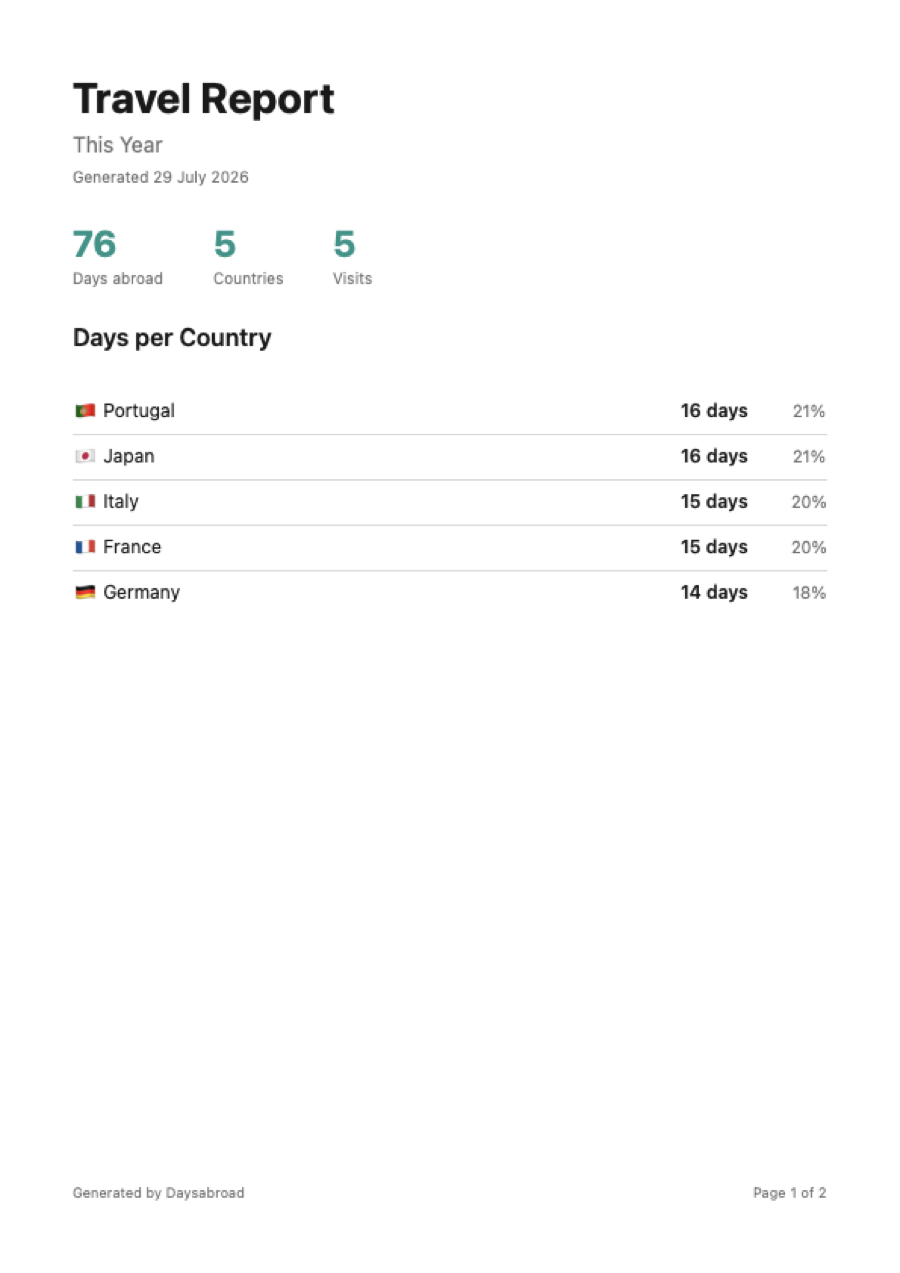
Your counters on the home screen
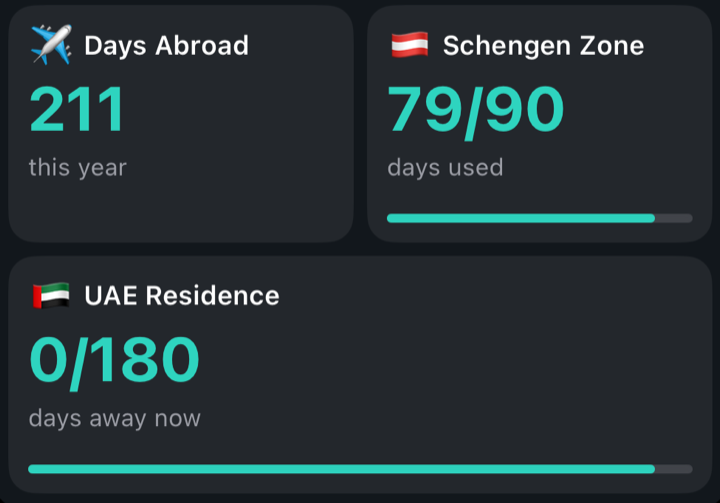
The widget is the point of the app for most people: you never open Daysabroad, you just glance. It is built from tiles — each one a number you chose — and it refreshes itself as your days accumulate.
- Any metric as a tile: current stay, a visa rule, a residence rule, the tax alert
- Tiles turn red before you hit a limit, not after
- Small widget with one metric is free — the builder and the larger sizes are Premium
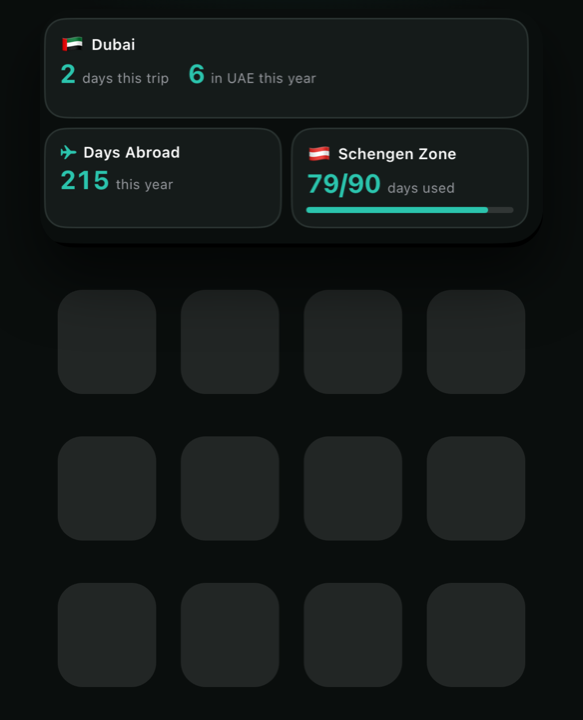
Widget
Set the widget up once, then stop opening the app
iOS puts widgets on the home screen, not apps. Adding one takes about a minute, and after that the numbers are simply there whenever you unlock the phone.
Choose what it shows
In Daysabroad open Settings → Widget. The preview at the top is exactly what will appear on your home screen, so you can arrange it before you place it.
Add it to the home screen
Press and hold an empty part of the home screen until the icons jiggle, tap + in the corner, search for Daysabroad, pick a size and tap Add Widget.
Leave it alone
The widget redraws itself as days accumulate and as you cross borders. Tapping a tile opens the screen behind that number.
How the tiles work
A tile is one metric. You add the tiles you want, drag them into the order you want, and mark each one Tile (half width) or Wide (full width). The size you place on the home screen decides how many rows are visible:
- Small — the first tile only
- Medium — about two rows
- Large — up to five rows
Tiles you can add: current place, days abroad this year, countries this year, cities this year, visits this year, countries all time, the tax residency alert, and one tile for every visa rule and residence rule you have set up.
The free version gives you the small widget with any single one of those metrics. Premium unlocks the medium and large sizes and the builder — as many tiles as you like, in any order.
Why Daysabroad
Built for nomads, expats and their accountants
Privacy-first
No servers, no accounts, no Google Timeline needed — Daysabroad keeps its own log. Your history lives on your iPhone and in your personal iCloud, nowhere else.
Battery-friendly
Uses significant-location-change monitoring, not continuous GPS. Days get counted even after iOS closes the app.
Full travel log
Automatic visit history with cities, notes, tags, documents and attachments. Export everything as JSON, CSV or ZIP anytime.
Start with your past
Add the trips you took before installing — quick manual entry that chains trip to trip, or import a Google Timeline export if you keep one.
Guides
Day counts that trip people up
Your EES record says you never left
How a Schengen exit goes missing, how to check your record, and how to get it corrected.
Thailand DTV: two 180-day clocks
180 days per entry versus 180 in the year — a border run resets only one of them.
British with a home in Spain
Schengen 90/180, Spain's 183 days and the UK midnight test, read off one calendar.
UAE: 90 days to reach, 180 not to miss
A ceiling on absence for the visa, a floor on presence for tax — counted in opposite directions.
FAQ
Frequently Asked Questions About Schengen 90/180 & Tax Residency
How does the Schengen 90/180 day rule work?
You may stay in the Schengen Area at most 90 days within any rolling 180-day window. The window moves every single day, and a day only comes back 180 days after you used it. Daysabroad computes the window automatically from your location history — or try our free online Schengen calculator.
What is the 183-day tax residency rule?
Most countries treat you as a tax resident once you spend 183 days there in a year — with all the tax consequences that follow. Daysabroad counts days per country automatically and warns you at 150 days, while there is still time to plan.
Does it drain my battery?
No. Daysabroad relies on iOS significant-location-change and visit monitoring — the same low-power system used by weather apps. There is no continuous GPS in the background.
Is my location data private?
Yes. There are no Daysabroad servers. Data is stored locally on the device and optionally in your own iCloud. Nobody — including us — can see where you have been.
What does Premium add?
PDF reports for any period, calendar export to Apple and Google Calendar, and the widget builder with unlimited tiles and sizes. The core tracker — GPS counting, visa and residence rules, tax alerts, statistics — is free.
How do I add the widget to my home screen?
Choose what it shows in Settings → Widget inside the app, then press and hold an empty spot on your home screen, tap +, search for Daysabroad and pick a size. The small widget with one metric is free; the medium and large sizes and the tile builder come with Premium. Full instructions.
I already have travel history in a spreadsheet. Can I import it?
You can add past trips manually or import a JSON backup. Every visit can be edited, tagged and annotated after the fact.
Six months of Premium, free
For the first 500 travellers. Redeem on your iPhone, then keep using it — it renews at the normal price afterwards, and you can cancel any time.
Redeem six months freeDownload Daysabroad — Free Visa & Tax Day Tracker for iPhone
Join travelers who never think about the 90/180 math again.
Download Daysabroad for iPhone